
LERIS PRC Rating 2026 How to Verify Your Board Exam Rating Online Complete Guide Philippines
If you just took a PRC board exam or need to confirm your professional standing, checking your LERIS PRC rating is one of the fastest verifications you can do in the Philippines today. You do not need to visit any office, wait in line, or even create an account — your exam score and license status are available online within minutes through the official PRC verification portal.

This process works whether you are a board passer checking your exact grades, an employer confirming a hire’s license, or a professional needing proof of standing for a foreign application. The system is free, available 24/7, and only requires basic information like your name, profession, and birthdate to pull up your official record.
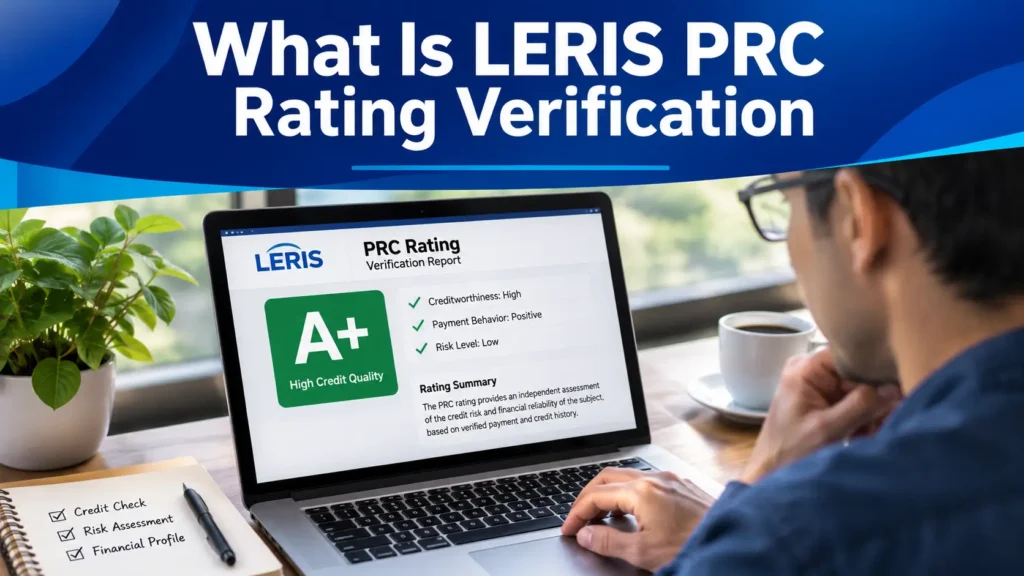
What Is LERIS PRC Rating & Verification
LERIS, short for Licensure Examination and Registration Information System, is the Professional Regulation Commission’s official online portal. Aside from license renewal, exam applications, and appointment setting, LERIS also has a dedicated verification section used specifically to confirm board exam scores and professional registration status.
Difference Between Rating Verification and License Verification
Many users confuse these two features on the LERIS platform, but they check different things:
Feature | Rating Verification | License Verification |
|---|---|---|
What it shows | Your board exam score per subject | Whether your professional license is active |
Who uses it | Board passers checking their grades | Employers, clients, foreign regulators |
Portal | verification.prc.gov.ph | verification.prc.gov.ph |
Login required | No | No |
Best for | Confirming you passed and your exact grade | Confirming someone is a legitimate licensed professional |
Warning: Type your name exactly as it appears on your PRC ID or Notice of Admission. Even minor differences, a missing middle initial or a misspelled surname can result in a “No Record Found” error.
Account Required for Checking Rating?
No. If checking your rating is all you want to do, there is no need to sign in with your account. This is one of the most useful features of the system; anyone can verify a rating without registering, logging in, or paying any fee. An account is only needed if you want to request official documents like a Certificate of Rating or Certificate of Good Standing.
When Is the PRC Renewal Deadline?
Before you start, prepare the following details exactly as they appear on your Notice of Admission or PRC records:
How to Check Your PRC Rating on LERIS Step by Step
Step 1: Visit the official PRC verification portal at verification.prc.gov.ph or the LERIS hub at online.prc.gov.ph.
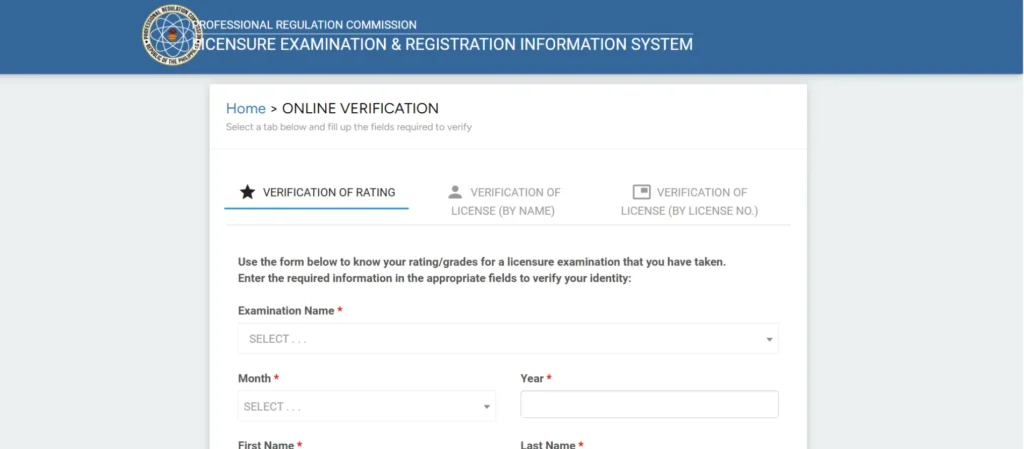
Step 2: Select the Verification of Rating tab on the LERIS website this is usually located in the upper left corner
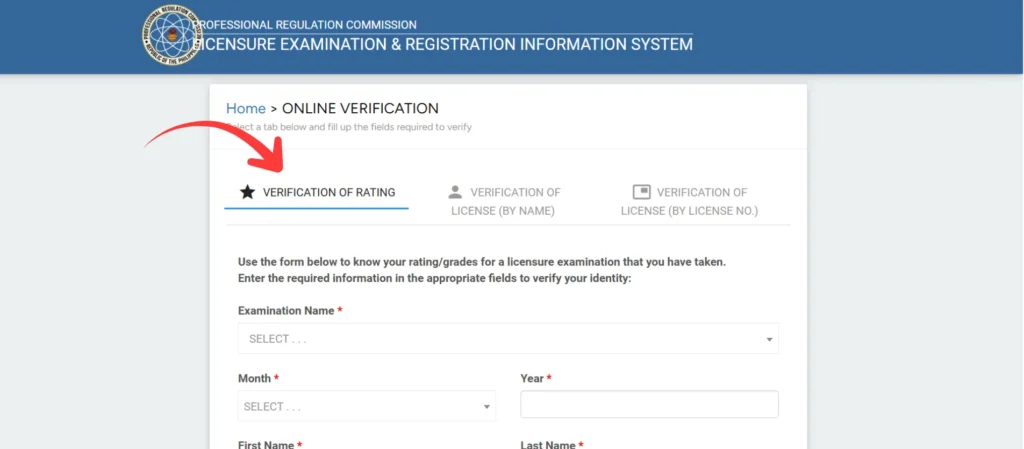
Step 3: Enter your first and last name, birth date, application number, and exam date as requested
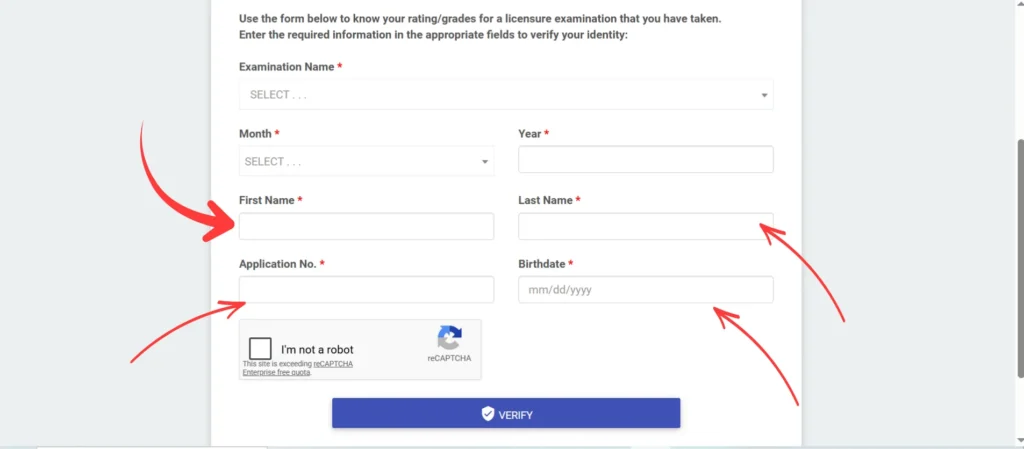
Step 4: Choose the correct profession from the dropdown menu
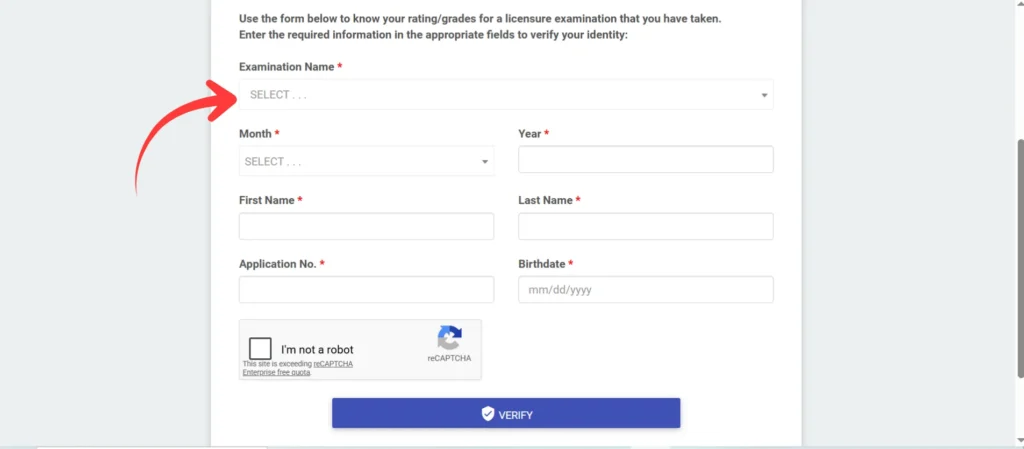
Step 5: Submit the form your rating displays within seconds if the record matches
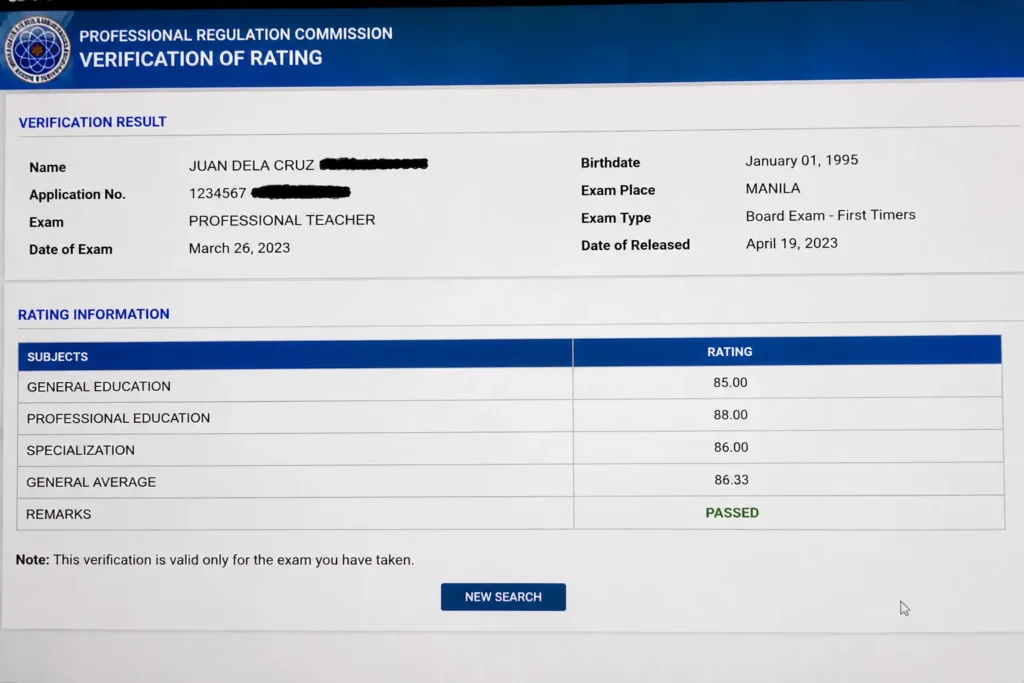
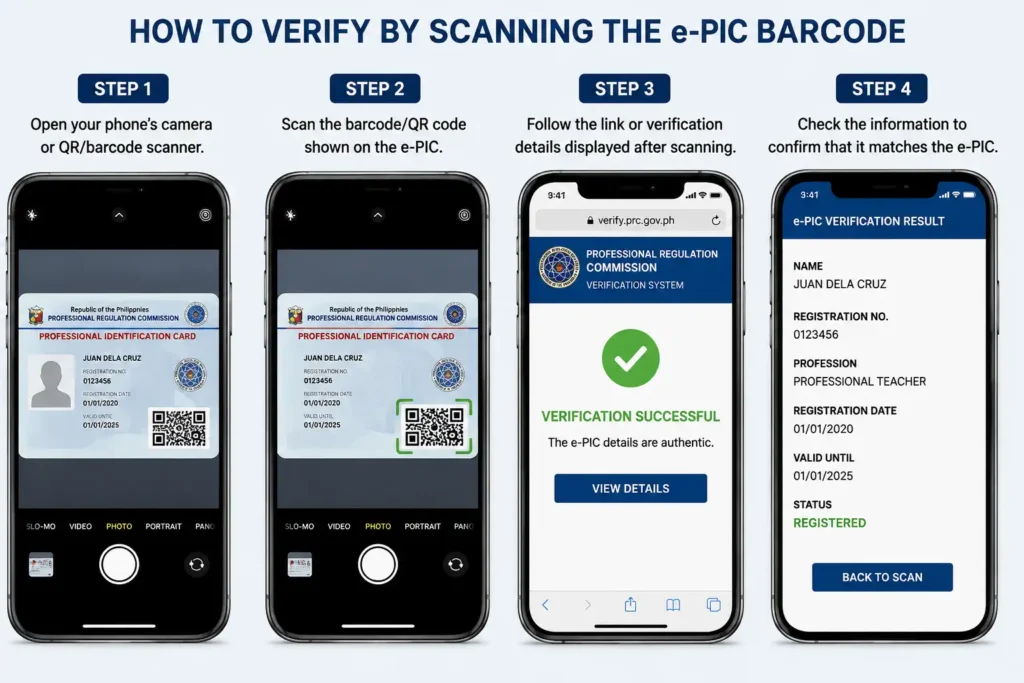
How to Verify by Scanning the e-PIC Barcode
If you already have your physical or digital Professional Identification Card, scanning is the quickest verification method:
How to Get an Official Certificate of Rating
If you need an official Certificate of Rating, you can request it online through the PRC’s LERIS portal. Follow these simple steps to submit your request and choose the certificate you need.
Step 1: Sign In to Your LERIS Account
Go to the official online.prc.gov.ph and sign in to your LERIS account using your registered login details.
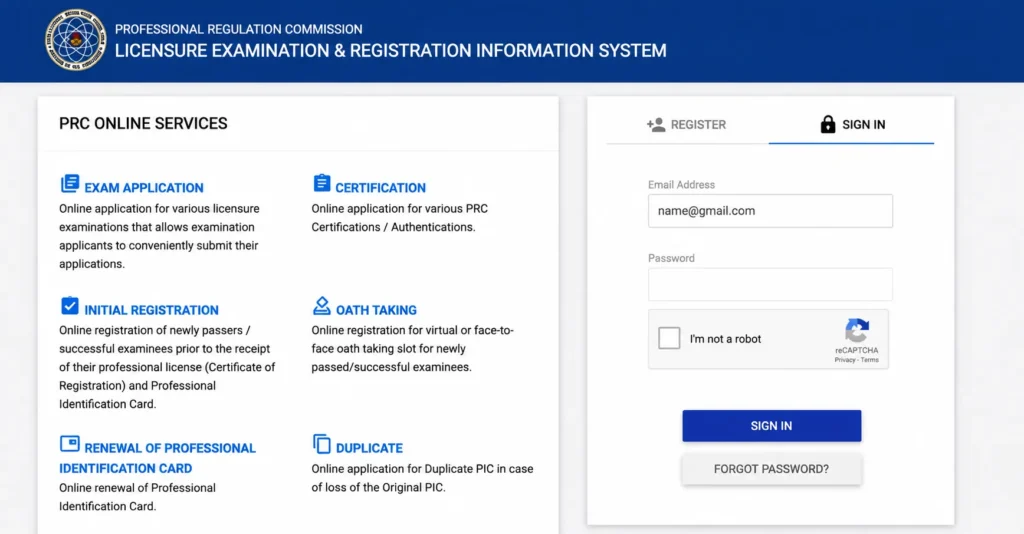
Step 2: Go to Transactions
After signing in, open the “Transaction” section from your LERIS account.
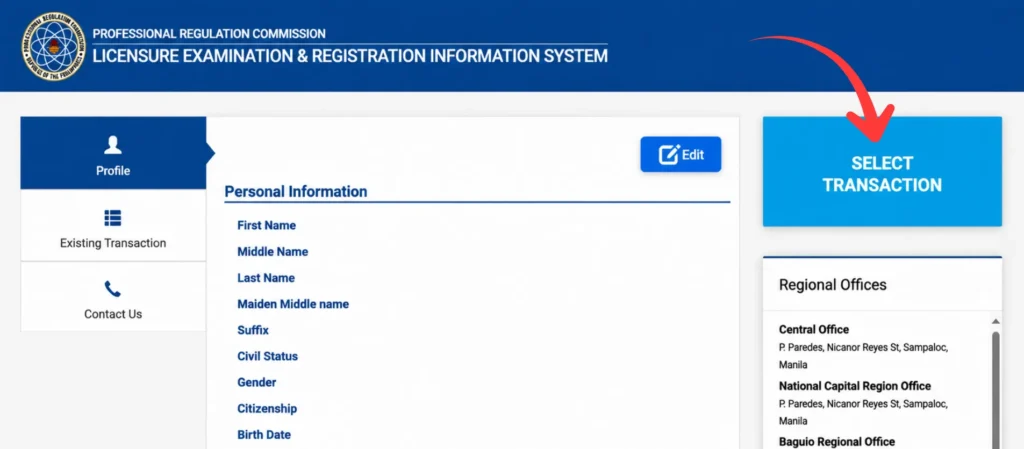
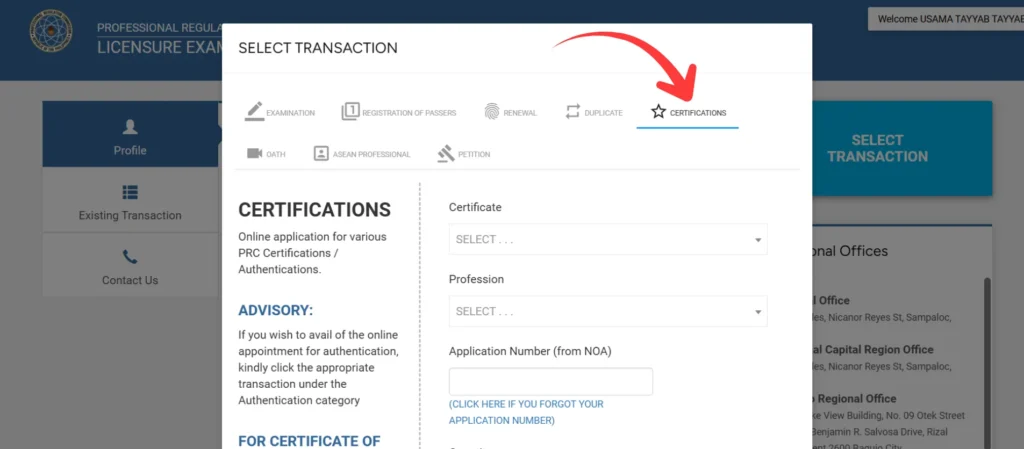
Step 3: Select Certificate of Rating
From the available certification options, select “Certificate of Rating.”
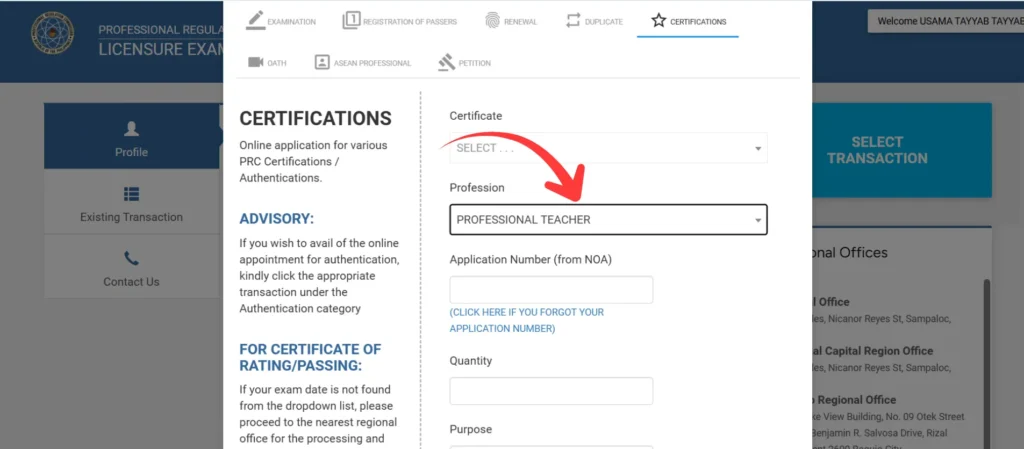
Step 4: Select Your Profession
Select your profession from the list. For example, if you are a licensed professional teacher, select Professional Teacher.
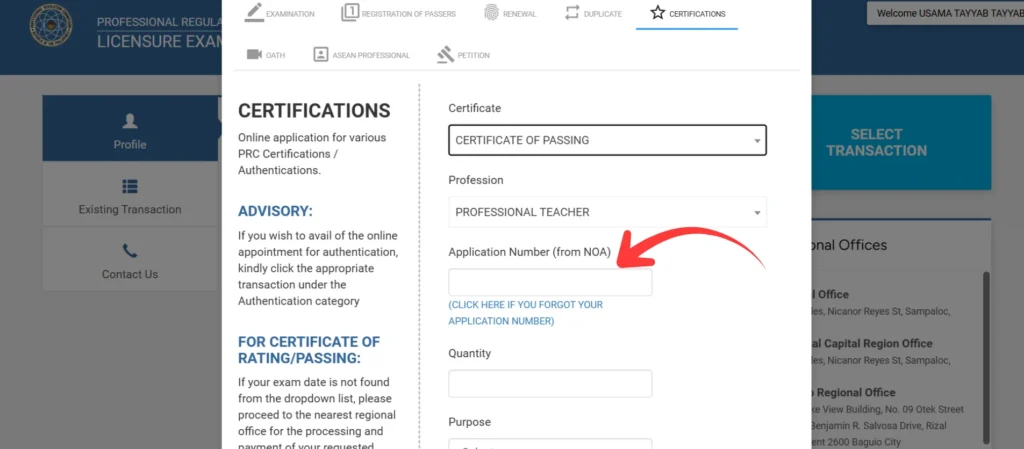
Step 5: Enter Your Application Number
Enter your Application Number in the required field. You can find your application number on your NOA (Notice of Admission).
Step 6: Select the Quantity
Choose the number of Certificate of Rating copies you want to request.
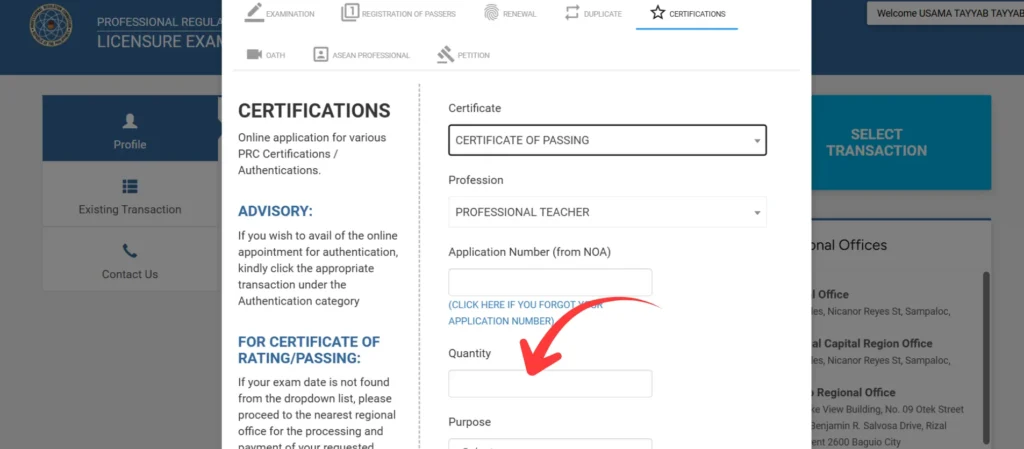
Step 7: Choose a PRC Regional Office
Select the PRC office where you want to process your request. Choose an office that is convenient for you.
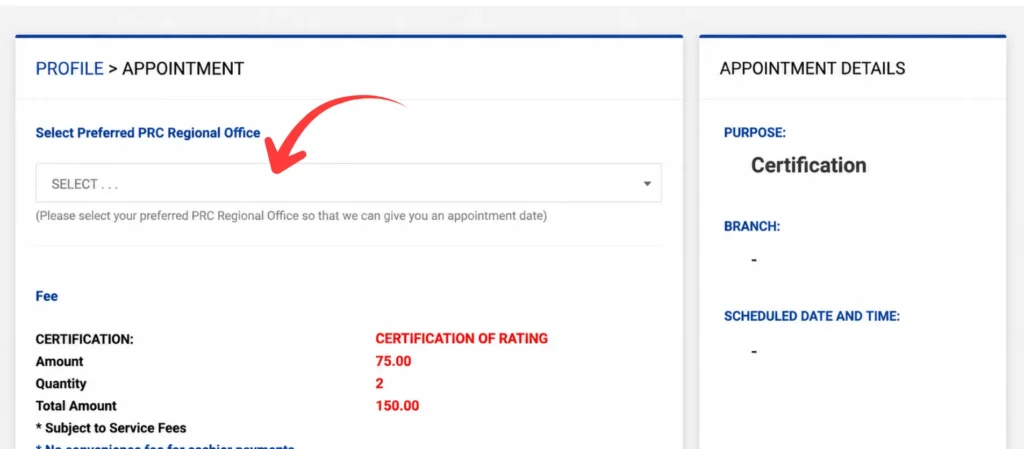
Step 8: Choose Your Preferred Appointment Schedule
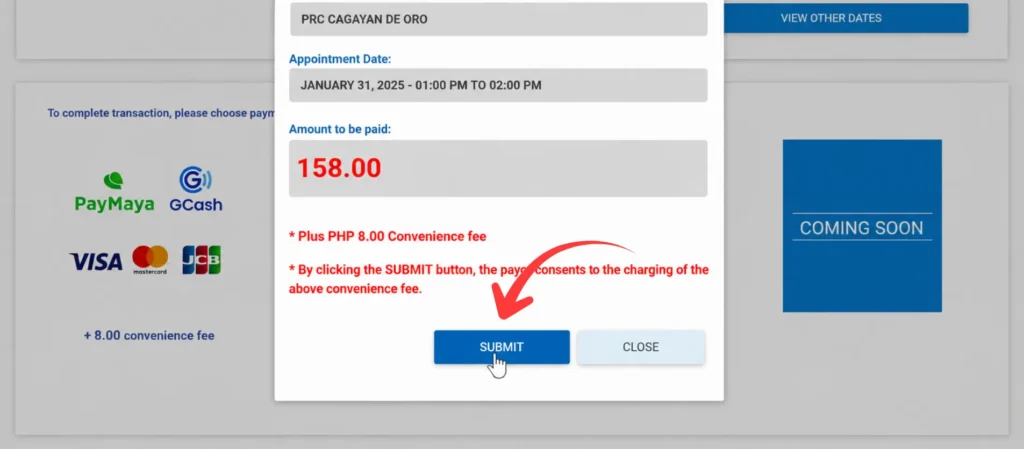
Select an available date and time for your transaction. If your preferred schedule is not available, check the other available dates and times.
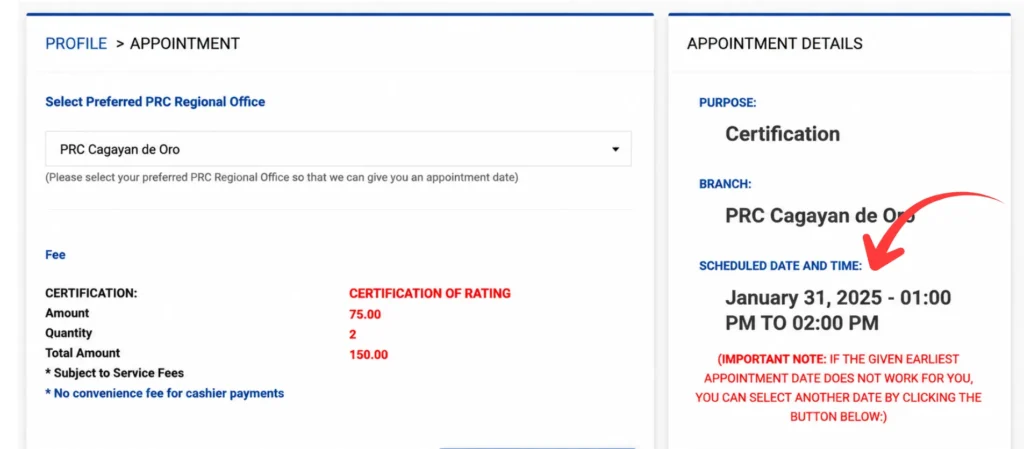
Step 9: Select a Payment Method
Choose one of the available payment methods. If you select GCash, an additional convenience fee may apply.
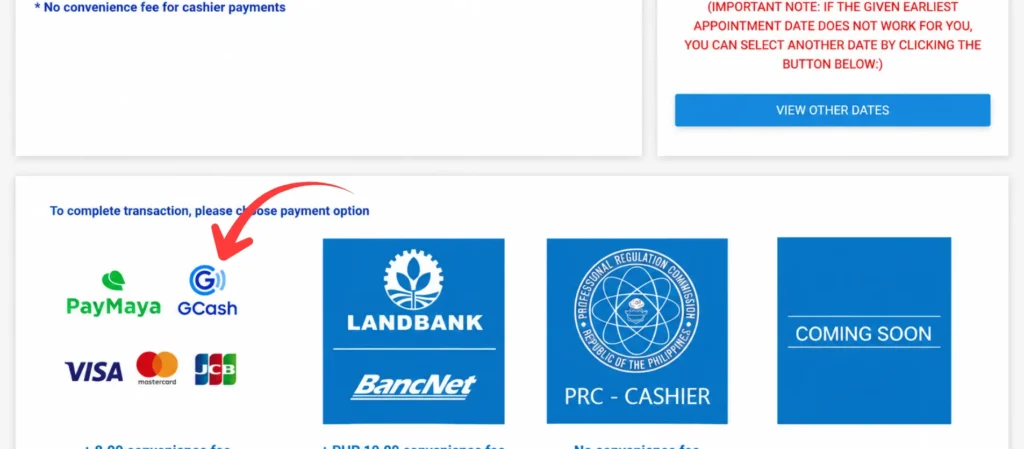
Step 10: Submit Your Transaction
Review your transaction details and click “Submit.” Continue with the payment instructions until the transaction is completed.
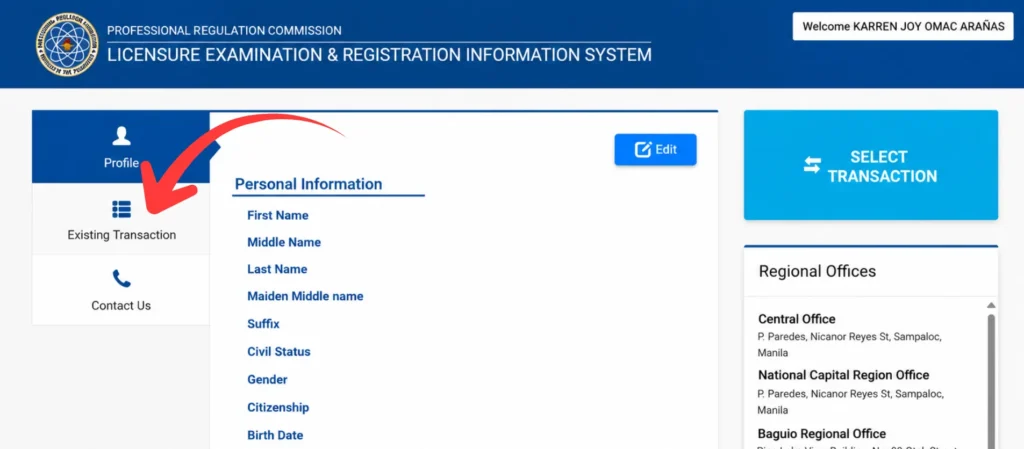
Step 11: Check Your Existing Transaction
After completing the transaction, return to the LERIS homepage and open your existing transaction to check its status and details.
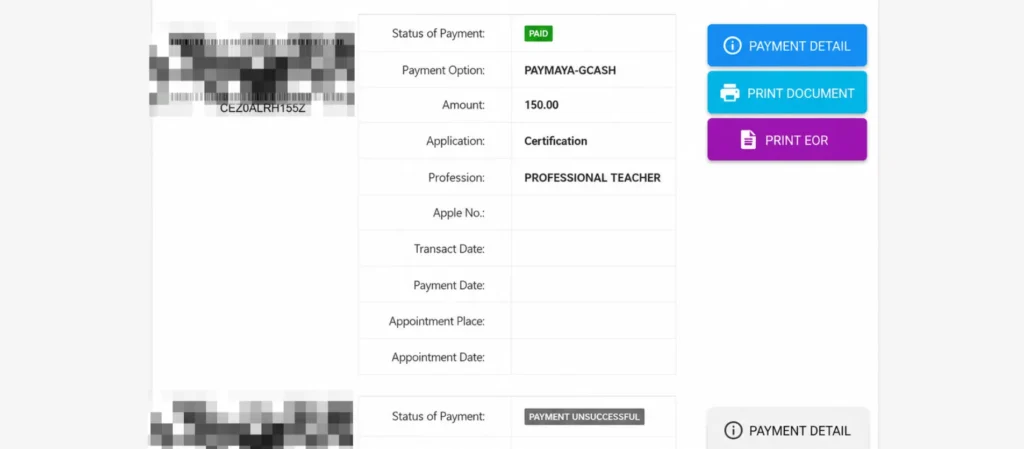
Step 12: Access Your Certificate
Open the completed transaction to access the available document related to your Certificate of Rating. Follow the available instructions to view or print your document.
Certificate of Rating vs Certificate of Passing What Is the Difference
The PRC has made it easier for licensed professionals to get their Certificate of Rating and Certificate of Passing through the LERIS website. Both certificates serve as proof of your status as a licensed professional and the accuracy of your exam rating for employment purposes, but they highlight different information:
Document | What It Shows |
|---|---|
Certificate of Rating | Your exact numerical grade per subject in the board exam |
Certificate of Passing | Confirmation that you passed the licensure exam, without detailed subject scores |
How to Get Your Certificate from a PRC Office
Step 1: After completing the online request, select your preferred PRC regional office
Step 2: Book your appointment date and time through LERIS
Step 3: Go to your selected PRC office on your scheduled appointment date
Step 4: Submit your Order of Payment form and claim slip
Step 5: Receive your official printed Certificate of Rating or Certificate of Passing
Verifying Old and Historical PRC Ratings
You can verify old PRC ratings through the LERIS verification system. This is useful when you need to confirm a past board exam result.
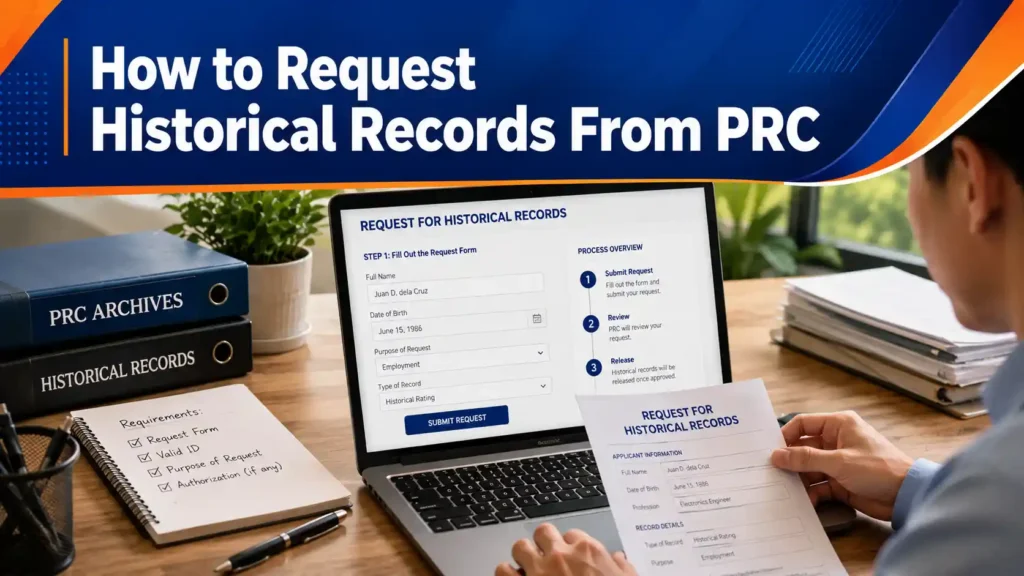
How to Request Historical Records From PRC
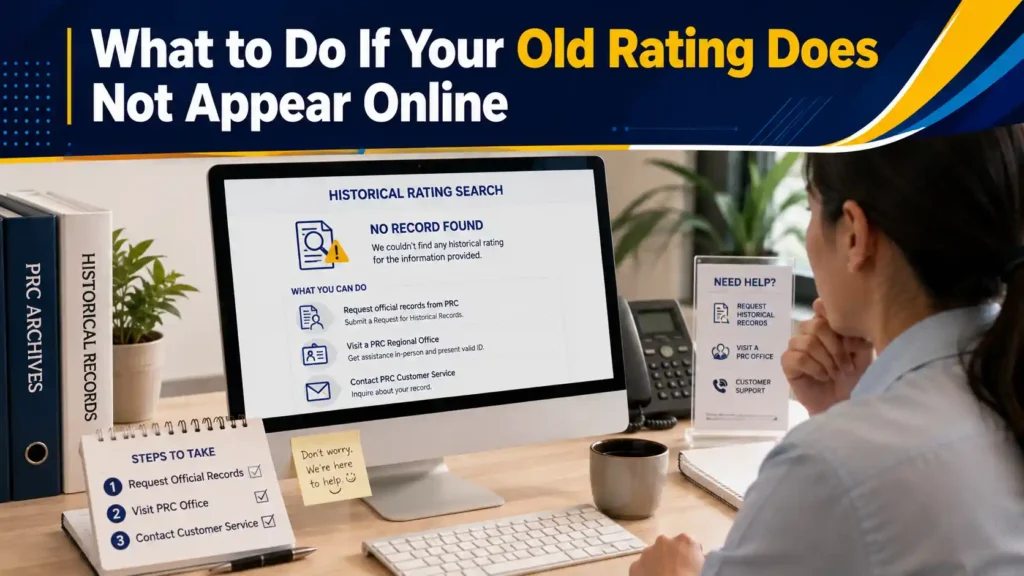
If your rating still does not appear after multiple attempts, contact the PRC rating division directly by email or visit your original PRC regional office with a valid ID and your Notice of Admission if you still have it. They can manually search their archives for older paper-based records that may not yet be reflected in the online system.
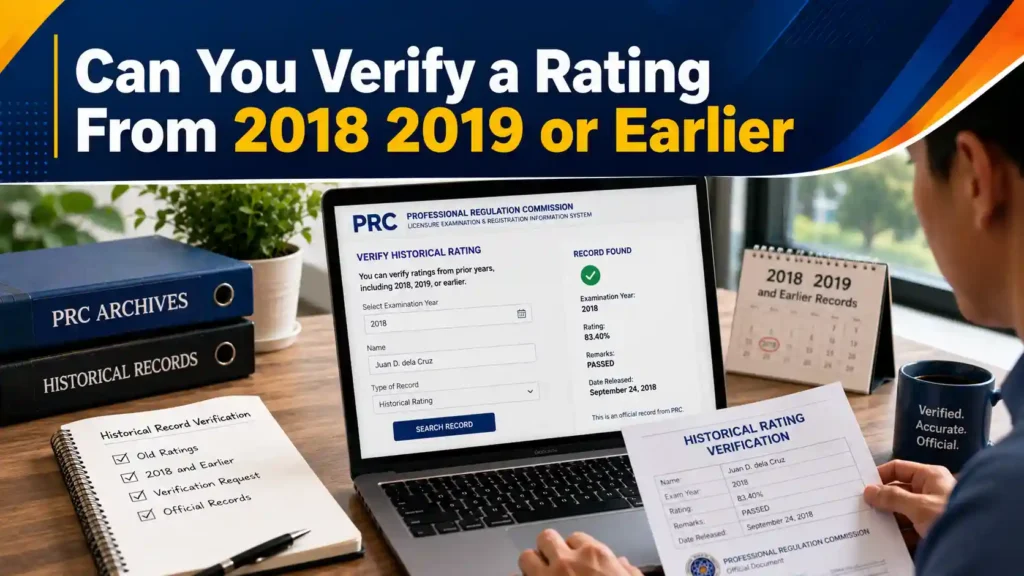
Can You Verify a Rating From 2018 2019 or Earlier
Yes, in most cases. The LERIS verification system retains historical records for past board exams, including ratings from 2018, 2019, and earlier years. The same Verification of Rating process applies enter your name, birthdate, application number, and the correct exam date corresponding to the year you took the board exam.
What to Do If Your Old Rating Does Not Appear Online
If your historical rating does not appear when searching online:
Verification for Employers Foreign Regulators and Special Cases
PRC verification is also useful for employers, foreign regulators, and other organizations that need to confirm a professional’s credentials. The public verification tool provides a simple way to check PRC records.
How Employers Can Verify a Candidate’s PRC Rating
The verification section of LERIS is specifically designed for individuals checking their own license or board exam status, employers ensuring that a job candidate is certified, and clients or patients confirming the legitimacy of a service provider. Employers can use the same free public verification tool with no account, no payment, no need to contact the applicant for permission.
Step 1: Go to verification.prc.gov.ph
Step 2: Search using the candidate’s full name and select the correct profession from the dropdown list you can verify a PRC license without a license number this way
Step 3: Confirm the license status shows as active, and cross-check the rating if the candidate has provided their Certificate of Rating
💡 Tip: With rising cases of fake professionals and credential fraud, make it standard HR practice to verify every hire’s PRC status before finalizing employment the check takes less than a minute.
State Board Verification for Working Abroad
Foreign regulators do not accept simple screenshots of your online rating; they require official verification sent directly by the PRC. This is requested through LERIS:
Step 1
Log in at
online.prc.gov.ph
Step 2
Select
Transaction→Certification
Step 3
Follow State
Verification prompts
Step 4
PRC sends
record foreign board
CGFNS and NCLEX Verification for Nurses
Nurses applying to work abroad through CGFNS (Commission on Graduates of Foreign Nursing Schools) or taking the NCLEX exam will have their credentialing body instruct PRC verification as part of the application.
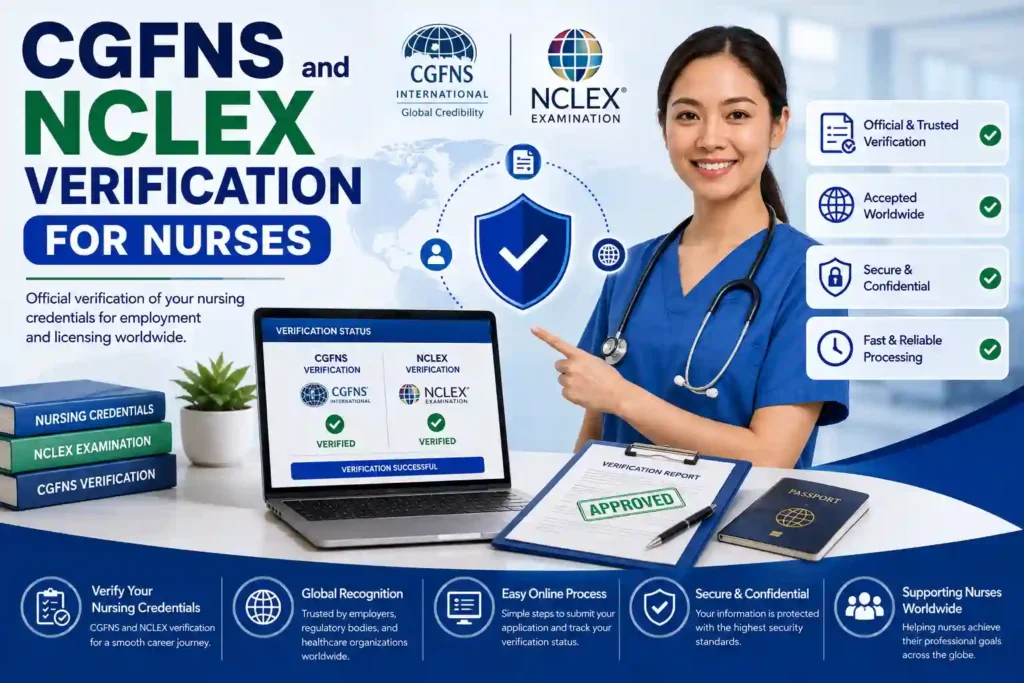
File the same LERIS certification request described above and allow sufficient processing time before your foreign application deadline, since international transmission can take longer than a standard domestic request.
Common Problems When Checking Your PRC Rating Online
Checking your PRC rating online is usually straightforward, but some issues can prevent the results from appearing. Knowing these common problems can help you resolve them quickly.
Advantages of LERIS PRC Rating Verification
Completely Free
No cost to verify your rating or anyone else’s — unlike getting an official printed certificate which requires a fee.
No Account Needed
You can check a rating instantly without registering, logging in, or creating a LERIS account — a huge convenience factor.
Available 24/7
No office hours to worry about — check anytime, anywhere, as long as you have internet access.
Works for Employers/Third Parties
Anyone can verify anyone else’s rating or license status — great for HR departments doing background checks quickly.
Multiple Verification Methods
You can verify by name + birthdate, by license number, or by scanning the e-PIC barcode — flexibility depending on what info you have.
Covers Historical Records
No cost to verify your rating or anyone else’s — unlike getting an official printed certificate which requires a fee.
Reduces Fraud
Helps combat fake professionals and credential fraud — anyone claiming to be licensed can be checked instantly.
Disadvantages of LERIS PRC Rating Verification
“No Record Found” Errors
Minor typos in name spelling, wrong profession selection, or slight birthdate mismatches cause failed searches — frustrating for users who don’t know why it failed.
Not Accepted as Official Proof
Foreign regulators, embassies, and some employers do NOT accept a simple screenshot of the online verification.
Very Old Records May Be Missing
Exams taken before digitization (pre-2018 in many cases) may not appear online at all, forcing users to visit a PRC office in person.
Privacy Concerns
Since anyone can search anyone else’s rating using just their name and birthdate, this raises privacy questions if a person’s exam score is publicly accessible without their consent or knowledge.
No Real-Time Support
If verification fails repeatedly, there’s no live chat or instant help. You have to email the rating division and wait for a response, which can take days.
Requires Exact Information
The system is very strict about exact matches — using a nickname, a maiden name after marriage, or even a missing middle initial can cause the search to fail.
Barcode Scanning Can Be Unreliable
Glare, poor lighting, or a damaged/worn ID card can prevent the e-PIC barcode scan from working properly.
Newly Released Results Have Delays
Immediately after an exam, ratings may not be uploaded yet even though results were officially announced — creating confusion for anxious examinees checking right away.
PRC Contact Information
Carlos Reyes (Legal Researcher & Content Writer)
Francisco Javier is a legal researcher and content writer specializing in the Philippine PRC and LERIS system. He helps professionals navigate licensure exams, registration, PIC renewal, certifications, and other PRC services.
FAQs
Conclusion
Verifying your LERIS PRC rating takes only a few minutes and does not require an account, payment, or office visit for the basic check. Use verification.prc.gov.ph for a quick rating or license lookup, and only log in to your full LERIS account. when you need an official Certificate of Rating, Certificate of Passing, or State Board Verification for a foreign application. Always double-check your name, birthdate, and application number before submitting to avoid a failed search, and keep your Notice of Admission handy in case you need to reference your exact application details later.