
PRC LERIS Account Login | Sign Up & Sign In 2026
If you’ve been searching for PRC LERIS account login instructions, chances are you’re either trying to access an account you already have, or you’re actually looking to create one for the first time and just used the wrong search term.
Both tasks happen on the same website, but they are two completely different processes with different steps — and mixing them up is one of the most common reasons people get stuck before they even start their actual PRC transaction.

LERIS PRC Sign In vs Sign Up?
Before anything else, confirm which one actually applies to you:
Situation | What You Need |
|---|---|
You’ve never created an account on online.prc.gov.ph | Sign up — create a new account |
You had an account on the old prc-online.com system | Sign up — that account no longer works, you need a new one |
You already registered on online.prc.gov.ph before | PRC Leris log in — use your existing email and password |
You signed in before but forgot your password | Password recovery, not a new sign up |
How To Leris PRC Login?
LERIS stands for Licensure Examination and Registration Information System — it’s the PRC’s official online platform for exam applications, initial registration for new board passers, and license renewals. The official PRC Leris Portal is online.prc.gov.ph, and creating an account here is the first step before any of those transactions.
What You Need Before You Start?
Account Registration?
For more information, please visit the first page of the LERIS PRC.
LERIS PRC Picture Requirements
Your photo must be a recent 2×2 digital ID photo, in JPG format, with a plain white background and decent attire that includes a collar. LERIS will reject blurry, low-quality, or improperly formatted photos, so save this file correctly before you begin the sign up process rather than searching for one halfway through.
How to Leris PRC Sign In?
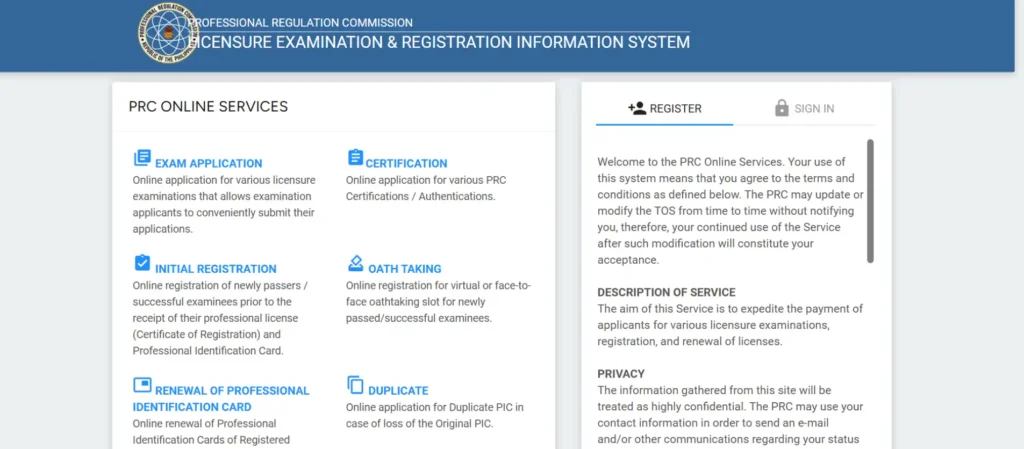
Step 1: Go to online prc gov ph leris
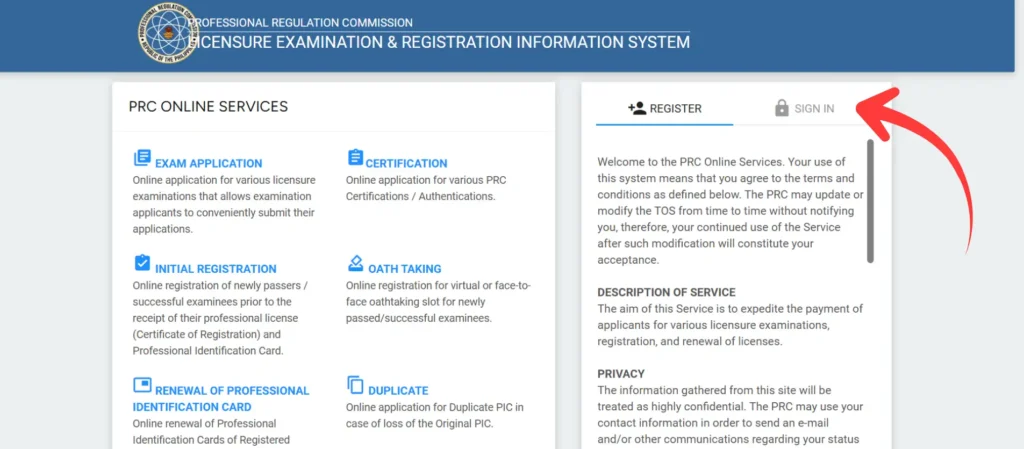
Step 2: Locate the sign in option on the homepage
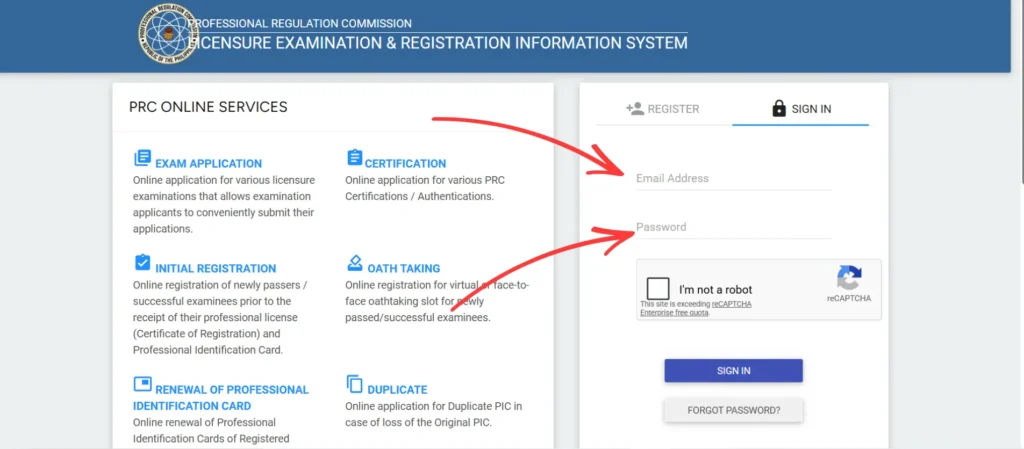
Step 3: Enter the email address and password you used during registration
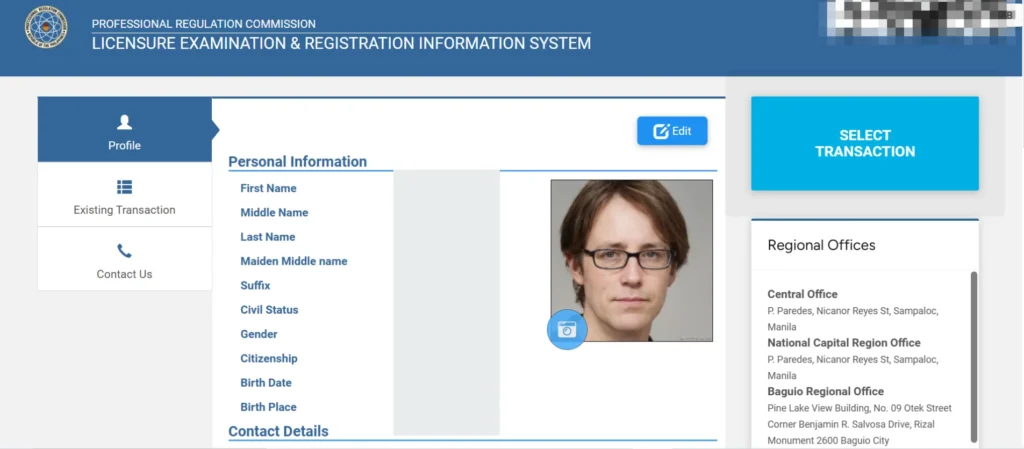
Step 4: Click sign in to access your dashboard
Why Your Old prc-online.com Account Won’t Work
If you had an account on the previous system at www.prc-online.com, that account is no longer active. PRC migrated to the current LERIS platform, and old credentials do not carry over. If you’re trying to sign in with details from that old system, stop — you need to register a new account at online.prc.gov.ph instead, following the sign up steps above.
Common PRC Leris Account Errors and How to Fix Them?
Error | Likely Cause | Fix |
|---|---|---|
Incorrect email or password | Typo, wrong case, or Caps Lock on | Check for typos, turn off Caps Lock, retry carefully |
Account not verified | Verification link in email was never clicked | Open your registration email and complete the verification step |
Site not loading or extremely slow | High traffic on the main portal, common near deadlines | Use the mirror portal if available, or try again during off-peak hours |
Password rejected repeatedly | Genuinely forgotten password | Use the password recovery option rather than guessing repeatedly |
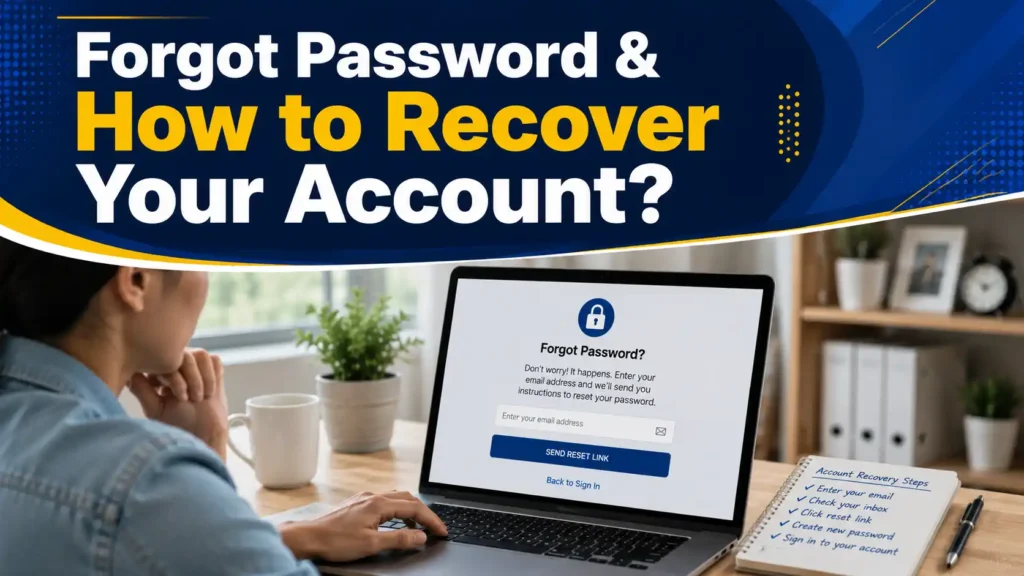
Forgot Password & How to Recover Your Account?
Why Does Your Name Must Match Your PSA Birth Certificate Exactly?
This is one detail that quietly causes problems months or years down the line: the name you enter during sign up needs to match your PSA Birth Certificate letter-for-letter.
A missing middle initial, a shortened first name, or an inconsistent spelling can cause mismatches later when PRC cross-checks your profile against official records for licensure, renewal, or certificate requests.
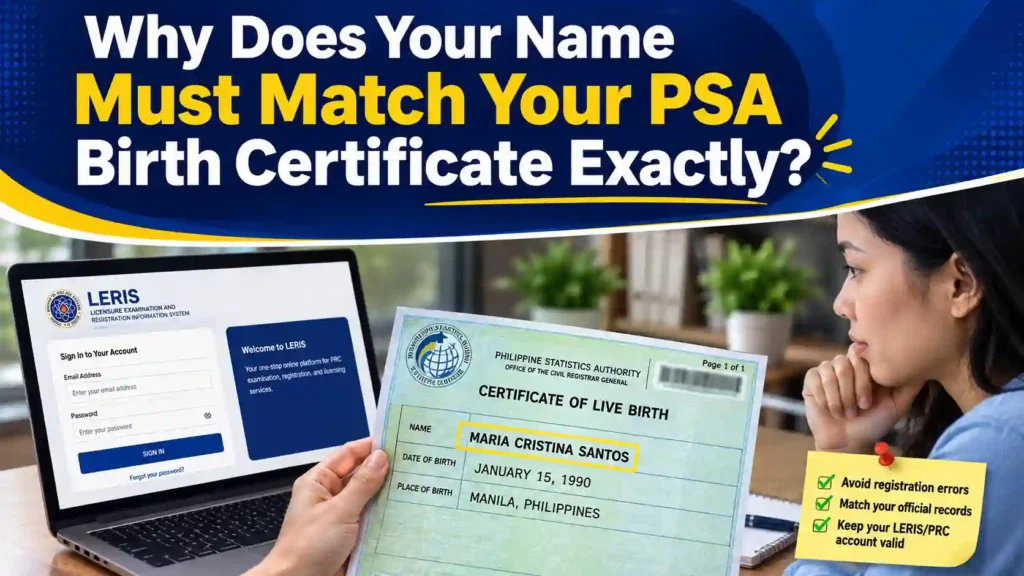
Getting this right at sign up, rather than correcting it after the fact, saves significant back-and-forth later. If you’ve since married and use a different surname professionally, keep your LERIS profile aligned with your legal documentation and update it formally through the platform rather than registering under an inconsistent name.
PRC Online Appointment Login
After signing in to your LERIS account, you can access your dashboard and start a PRC transaction that requires an online appointment.
Step 1: Log in to your LERIS account using your registered email and password.
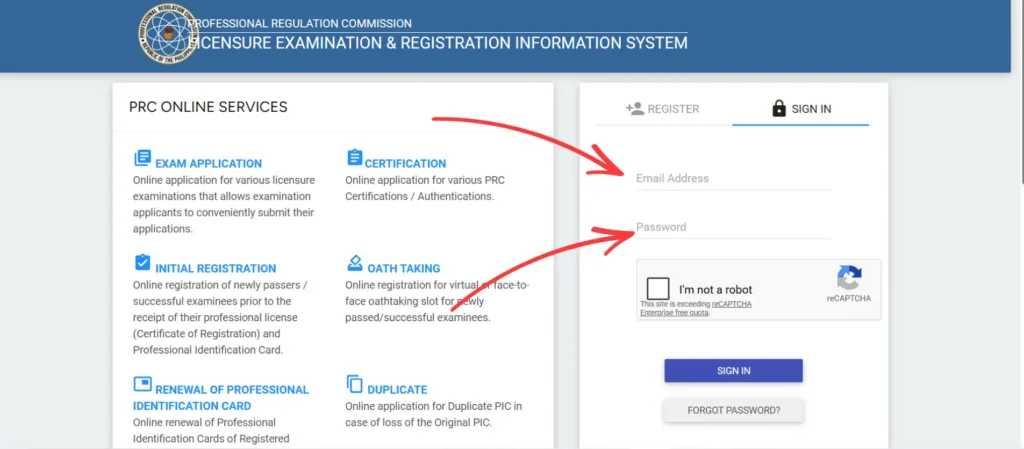
Step 2: Select the PRC transaction button you need from your dashboard.
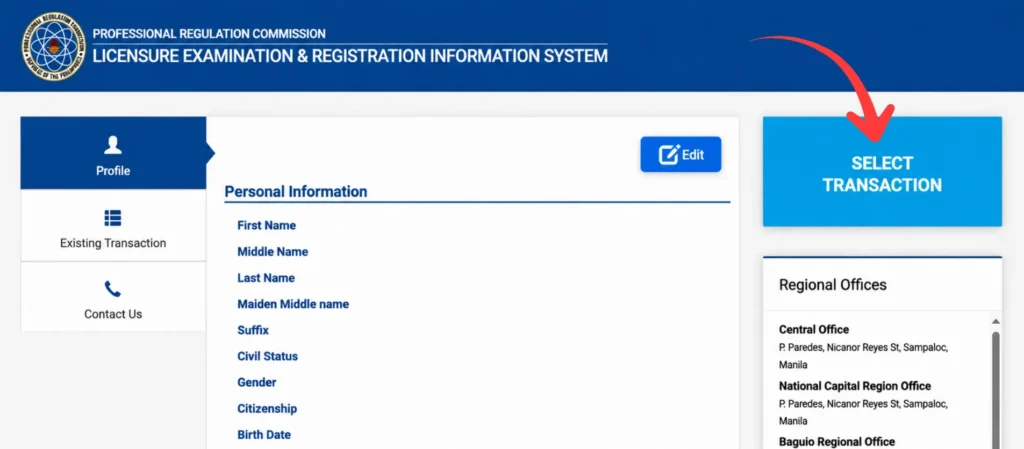
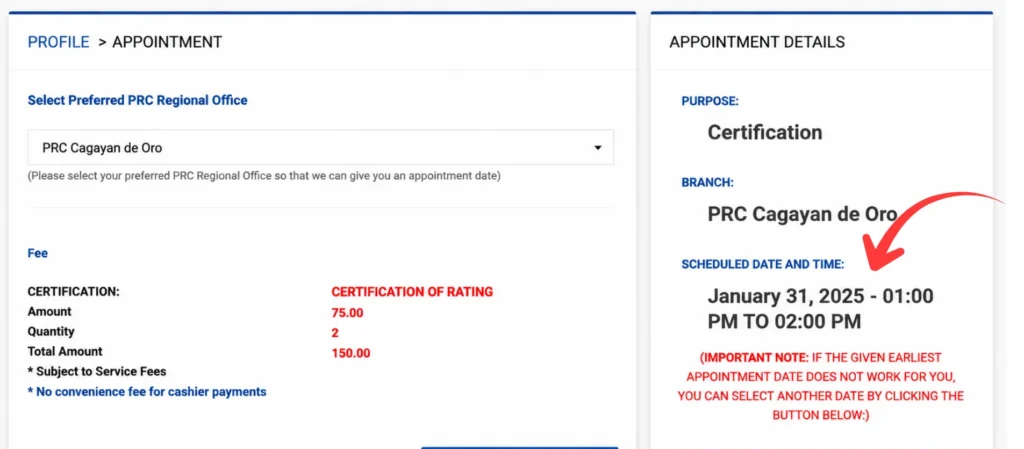
Step 3: Choose your preferred PRC office, appointment date, and available time.
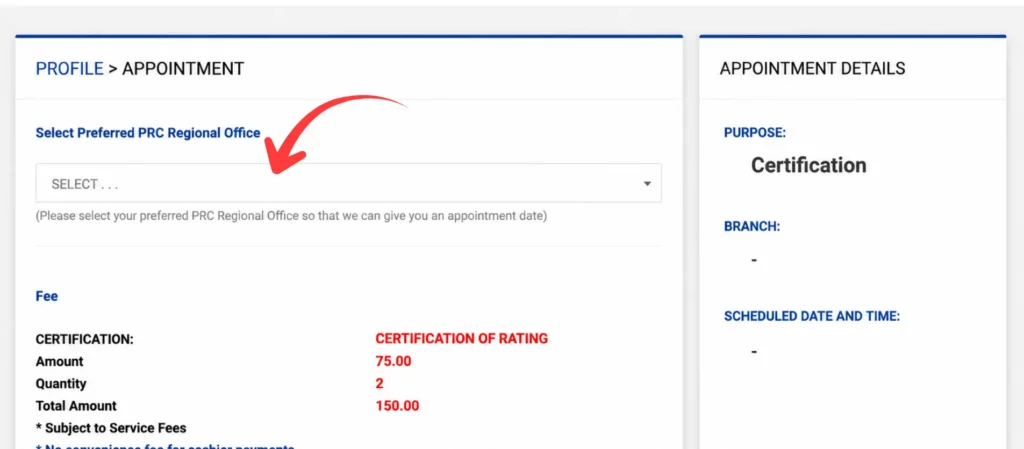
Step 4: Review and confirm your appointment details.
Can Foreign Professionals Sign Up for LERIS?
Yes. Eligible foreign professionals applying for PRC recognition or registration may also need to create a LERIS account, subject to PRC’s current rules and documentary requirements for foreign applicants. The sign up process itself follows the same steps outlined above — the additional requirements relate to the specific recognition or registration transaction, not the account creation process itself.
What to Do After You Sign In Successfully?
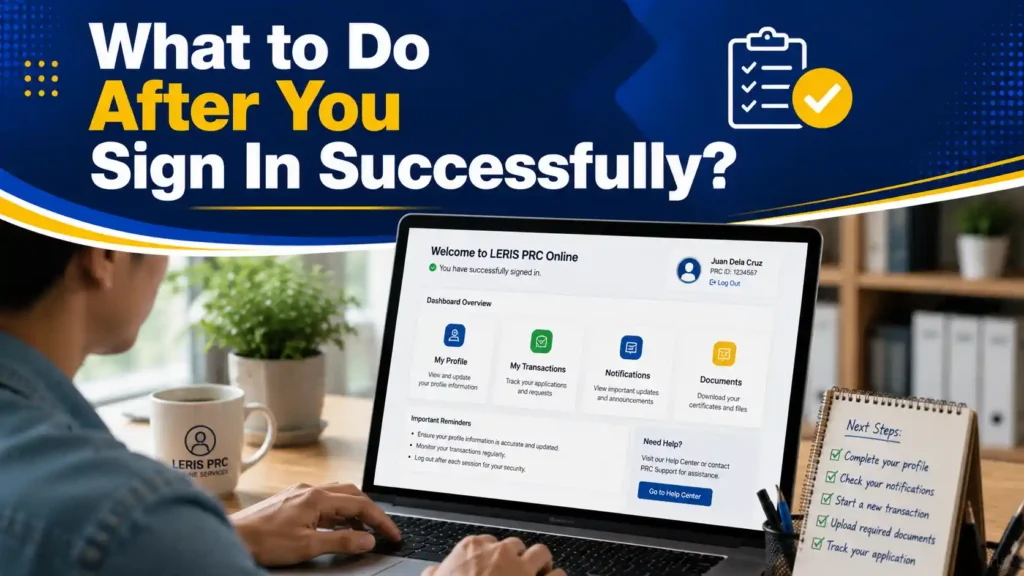
Once you’re in, your dashboard is where every subsequent transaction begins. From here, most people move directly into either a board exam application or a license renewal, both of which start by selecting the relevant transaction type from your account menu.
Take a moment after your first successful login to confirm your profile details are complete and accurate, since an incomplete profile can slow down whichever transaction you select next.
PRC Contact Information
Carlos Reyes (Legal Researcher & Content Writer)
Francisco Javier is a legal researcher and content writer specializing in the Philippine PRC and LERIS system. He helps professionals navigate licensure exams, registration, PIC renewal, certifications, and other PRC services.
FAQs
Conclusion
LERIS PRC sign in gives you access to your PRC online account, where you can manage applications, renew your license, and check your transaction status. Simply use your registered email and password at the official PRC portal. If you cannot remember your password, use the password recovery option instead of creating a new account. Always access LERIS through the official website to keep your account and personal information secure.