
LERIS Picture Sample 2026 – 2×2 Photo Requirements, Name Tag Rules & Rejection Fixes
A photo that breaks one small rule can hold up your whole PRC exam application. This LERIS picture sample guide shows exactly what an accepted photo looks like, so you can check yours before you upload it. PRC here means the Professional Regulation Commission of the Philippines, which runs LERIS, the Licensure Examination and Registration Information System.
Every rule below comes from PRC’s own LERIS step-by-step guide (version 8) and its FAQ pages. Some blogs give numbers that PRC never published, such as a file size limit, and we point those out plainly. You will also find a LERIS application form sample, a guide to which Services still need printed photos, and a verification of the Rating & Verification LERIS sample with the exact fields to fill in. For more information, visit the LERIS account login page.
Quick answer: PRC accepts a LERIS photo that is:
LERIS Picture Sample – What an Accepted Photo Looks Like?
When you click the photo icon in your LERIS PRC profile, a pop-up titled “Photo Requirements” opens. It shows two sample photos and a warning in capital letters that unacceptable photos will be rejected. The official PRC LERIS picture sample is a head-and-shoulders shot, facing the camera, against a plain white background. The woman in the sample wears a blouse and blazer, and the man wears a suit and tie. Neither photo has a name tag.
Correct LERIS Picture Sample
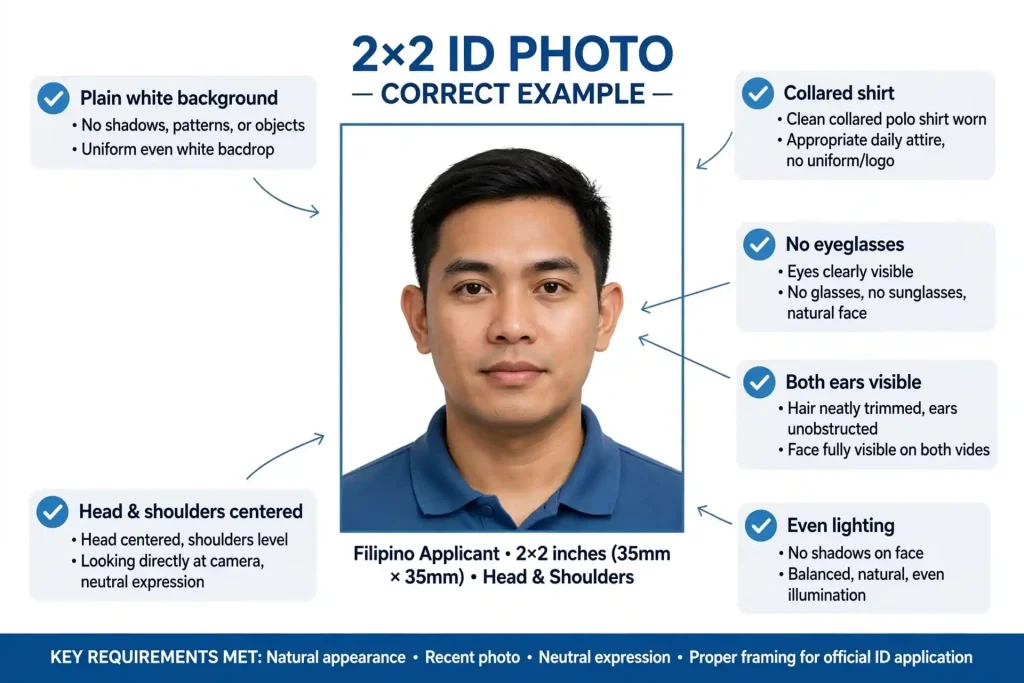
Check your photo against these points:
Rejected Photo Examples
Each photo breaks one rule from PRC’s list, and one problem is enough to hold your application.
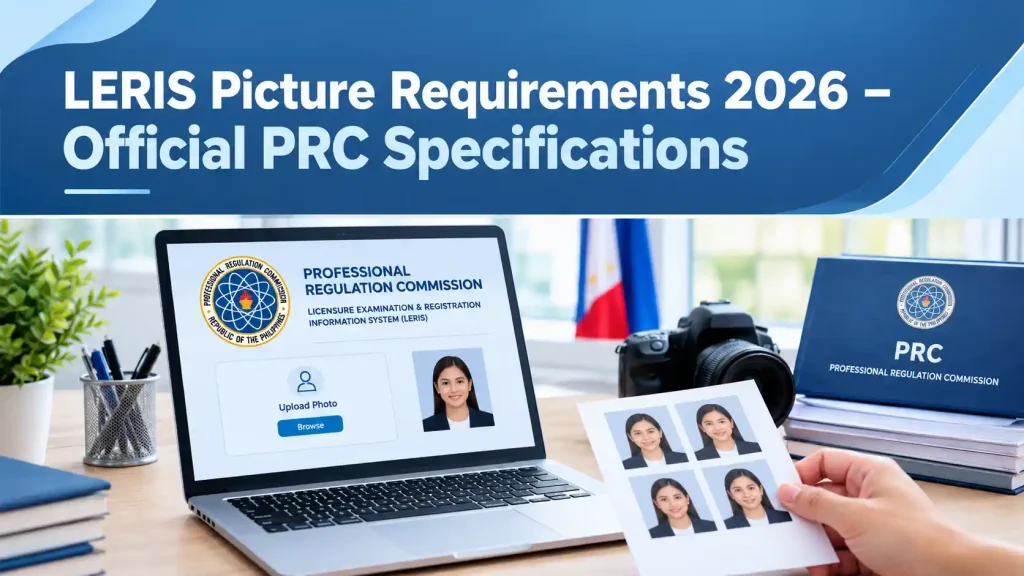
LERIS Picture Requirements 2026 – Official PRC Specifications
PRC applies the same photo rules to every licensure exam, whether you are applying for the LET, NLE, CPALE or an engineering board. Here is what each rule means in practice.
Size and File Format
The photo must be 2×2 inches, which is about 5.1 x 5.1 cm. LERIS asks for an ID photo in .jpg format saved on your computer, phone or tablet. If a studio takes your picture, ask for the digital file. PRC itself suggests requesting an e-file from the photo studio.
LERIS fits your image into the 2×2 box with its own Zoom In and Zoom Out buttons, so you do not need exact pixel dimensions. For a sharp result, a square image of at least 600 x 600 pixels (2 inches at 300 dpi) works well.
Background, Lighting and Recency
The background must be plain white, not cream, light blue or grey, and free of texture or patterns. The photo must be taken no more than 6 months before you upload it, so an old graduation photo will not pass even if it looks good.
Attire, Eyeglasses and Ears
PRC asks for decent attire with a collar, so a round-neck shirt does not meet the rule. Remove your eyeglasses, even if you wear them every day. Keep both ears uncovered by hair or accessories.
What PRC Officially Says vs What Blogs Claim?
Many guides repeat rules that PRC never published. Use this table to separate the two.
Topic | Official PRC rule | What some blogs claim |
|---|---|---|
Size | 2×2 inches | Passport size for the upload |
File format | .jpg | JPG or PNG |
File size | No limit published | 80 KB, 1 MB, 2 MB or 5 MB |
Pixel size | Not published | 600 x 600 px (a sensible guide, not a rule) |
Recency | Within 6 months | Within 3 months |
Eyeglasses | Not allowed | Clear lenses are fine |
Ears | Must not be covered | Ears are optional |
Name tag on the upload | Not listed | Always required |
Does the LERIS Picture Need a Name Tag?
PRC does not list a name tag for the digital upload. Its FAQ answers the question “Is nametag required in the picture?” with only three rules: 2×2 size on a plain white background, taken within 6 months, and decent attire with a collar. Every LERIS account picture sample in the upload pop-up is plain, with no text on it.
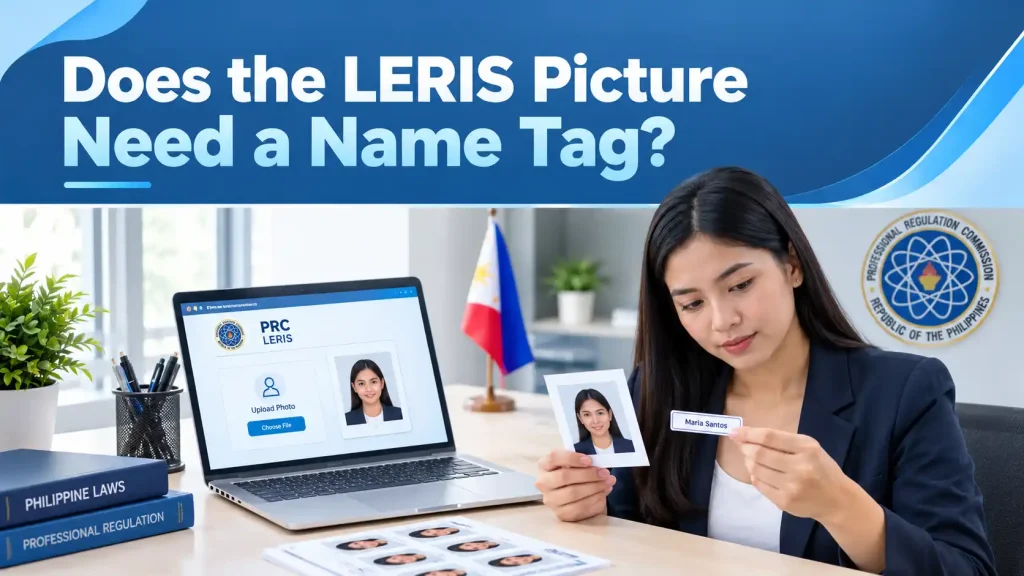
Name tags matter for printed passport-size photos. PRC still asks for these with a “complete name tag” for a few services, listed in the printed photo table below. The layout most photo studios use is:
DELA CRUZ, JUAN P. BSN
This format (surname, first name and middle initial, with the degree below) is a studio and review center custom, not a PRC template. If your Regional Office or your Notice of Admission shows a different format, follow that one.
Why Your LERIS Picture Gets Rejected?
If your photo does not match the LERIS picture sample above, the cause is usually on this list. PRC’s upload pop-up gives five reasons an application will not be processed. Three more follow directly from the stated requirements, and the last two are problems applicants commonly report.
Problem | Where the rule comes from | How to fix it |
|---|---|---|
Photo does not resemble you | PRC rejection list | Use a recent, unedited photo |
Wearing eyeglasses | PRC rejection list | Retake the photo without glasses |
Background not plain white | PRC rejection list | Stand in front of a plain white wall or sheet |
Shadows on the face or background | PRC rejection list | Face a window and step away from the wall |
Ears covered | PRC rejection list | Tuck your hair behind your ears |
Not 2×2 or badly cropped | PRC size rule | Use Zoom so your head and shoulders fill the box |
Older than 6 months | PRC recency rule | Take a new photo |
No collar | PRC attire rule | Wear a collared shirt, blouse or polo |
Selfie, blurry or low resolution | Common applicant problem | Have someone take it at eye level |
Heavy filters or AI face edits | Common applicant problem | Upload the original, unfiltered photo |
How to Take a LERIS-Ready Photo at Home With Your Phone?
PRC suggests a studio photo, but a careful phone photo can match the LERIS sample picture just as well. Follow these steps:
Before you crop, keep the sample picture for LERIS account uploads from this guide open and match your framing to it.
How to Convert an iPhone HEIC Photo to JPG?
iPhones save photos as HEIC by default, while LERIS asks for a .jpg file. Fix it with one of these methods:
How to Upload Your Picture on LERIS Step by Step?
Keep this guide open in another tab while you zoom. Matching the sample’s framing is the simplest way to get the crop right.
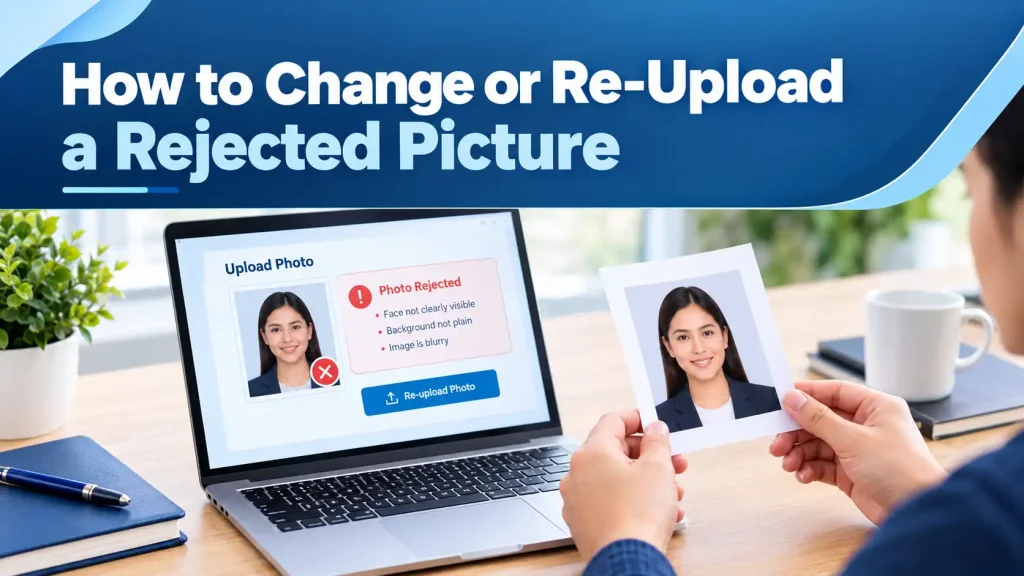
How to Change or Re-Upload a Rejected Picture?
If the camera icon on your profile still lets you change the photo, upload a compliant one there and save. PRC has not published a self-service fix for a photo on an application that is already under review. In that case:
LERIS Application Form Sample – Fields You Will Fill In
After you save your profile and photo, LERIS builds a system-generated application form from your entries. Here is a LERIS application form sample, broken down by section, based on PRC’s version 8 guide. Treat it as a LERIS account sample that you can fill in offline first, so you have every detail ready before you sign in.
Personal Information Fields
Education and Valid ID Fields
Exam Selection, Appointment and Payment
Exam category | Application fee |
|---|---|
Baccalaureate degree | PHP 900 |
Non-baccalaureate | PHP 600 |
Conditioned examinee | PHP 450 |
For a first-time application, PRC’s 2026 Citizen’s Charter lists the printed application form, your original and photocopied transcript of records with a scanned photo and the remark “For PRC Purposes Only”, your PSA birth certificate, and a documentary stamp. Your board may add its own items.
Uploaded Photo vs Printed Passport-Size Photos – When PRC Still Asks for Prints?
Most applicants only need the uploaded photo. PRC still lists printed photos for a few services.
Transaction | Photo needed | Name tag |
|---|---|---|
Exam application, first timer | LERIS upload, plus a transcript that carries your scanned photo | Not listed for the upload |
Exam application, repeater | A photo from a previous application on file (Resolution No. 1935, s. 2024) | Not listed |
Initial registration after passing | Registration form and a valid ID; no printed photo listed | Not listed |
Change of name due to marriage | 2 passport-size photos, white background | Full name tag |
Replacement of a lost Certificate of Registration | Passport-size photo, white background | Name tag |
Some registrations without examination | 4 passport-size photos, white background, coat and tie or blazer | Name tag |
An older PRC FAQ page still mentions 4 passport-size photos for exam applications, but the 2026 Citizen’s Charter does not. For exam day, follow the list on your own Notice of Admission.
Verification of Rating LERIS Sample – How to Check Your Rating?
Verification of rating is a free online lookup on LERIS. You do not need to sign in, and your picture is not used.
The verification of rating LERIS sample above uses placeholder values. Your own screen shows the rating for the exam you took.
If you need a certified copy for a job or for use abroad, request it inside your account. Go to Select Transaction, open the Certifications tab, and choose Certification of Board Rating. Bring the system-generated action sheet, your valid PIC or e-PIC (or a government ID if you are not yet registered), and a documentary stamp to the Archives and Records Section of your Regional Office.
FAQs
Final Thoughts
Before you click Upload Image, compare your photo with the LERIS picture sample at the top of this guide: white background, collar, visible ears, no eyeglasses, even lighting, .jpg format and less than 6 months old. If everything matches, finish your application form and book your appointment. If anything looks off, a quick retake now saves you a second trip to the Regional Office.